A personal, open-source project Est. 2026
NoLife
A beautiful self-hosted game collection.
I built NoLife to keep track of what I'm playing, what I've finished, and what I'd like to play next. It runs on my home server.
01 / THE LIBRARY
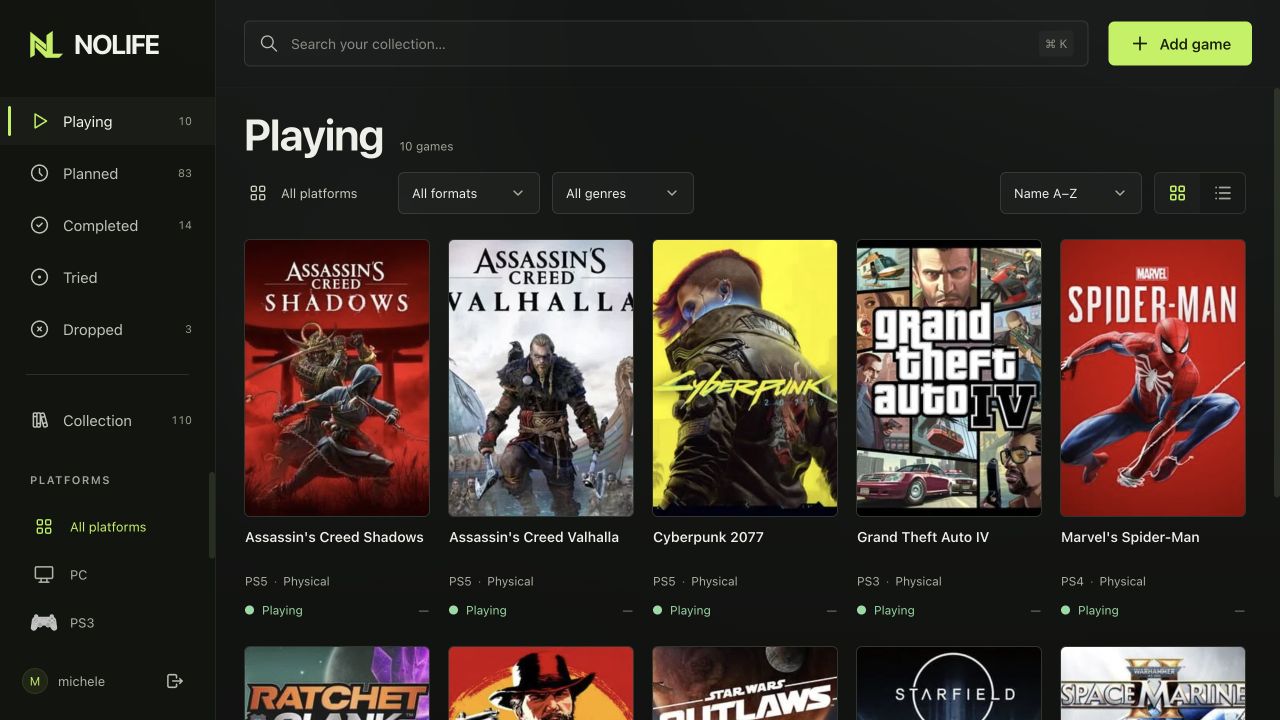
The collection
Browse your games by status, platform or genre. Keep physical and digital copies together, with search when you need it.
 View full size
02 / A CLOSER LOOK
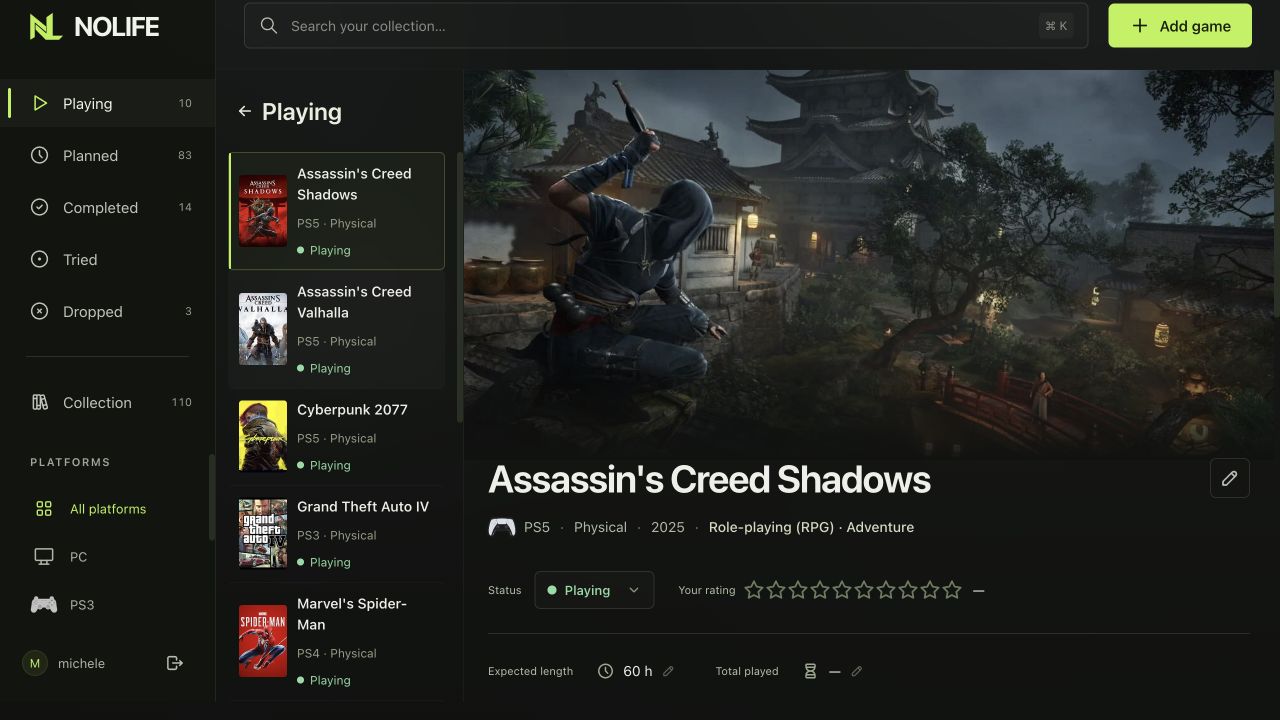
Game details
A place for each game's artwork, your rating, expected length and time played. Each copy keeps its own progress.
 View full size
03 / THE RIGHT MATCH
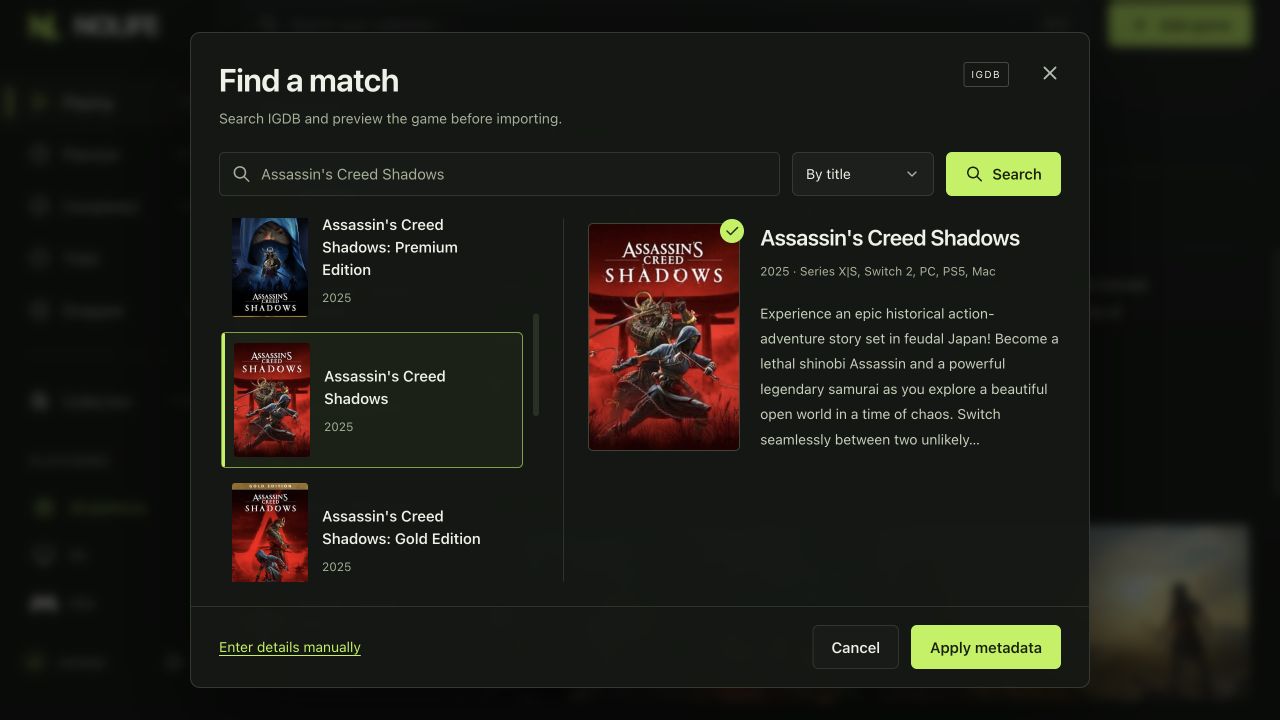
Find the right metadata
Search IGDB, check the match, then fetch the details and images. Your progress, rating and playtime stay yours.
 View full size
04 / INSTALLATION
Install with Docker
Install the published image with Docker Compose.
ghcr.io/metalogico/nolife:latest
Requires Docker Compose 2.24.4+
Full setup in the README
-
Prepare Docker Compose
Create a folder with
compose.yamland.env, using the configuration in the README. -
Configure your account
Run
docker compose pull, then follow the README to generate your app key and password hash. Set your username in.env. -
Start the containers
docker compose up -d --waitThen open
localhost:8093on the Docker host.